Window Solutions
Window Tint/Film
Windows Blinds
Windows Shades
Window Solutions
Window Tint/Film
Windows Blinds
Windows Shades

Technology Specialists designs and installs residential home networks in Tucson built for reliable everyday use. From Ethernet and structured wiring to Wi-Fi access points, we plan the network around your home, connected devices, workspaces, entertainment systems, and the way you use them.
Residential Network Installation in Tucson
Contact us today for a free estimate!
Reliable Wired Connections
Ethernet and structured wiring provide stable connections for computers, TVs, access points, cameras, and other devices that benefit from a dedicated connection.
Better Wi-Fi Coverage
Properly placed wireless access points can provide more consistent Wi-Fi coverage throughout your home and reduce weak or unreliable areas.
Built Around Your Home
Your network is planned around the layout of your home, the devices you use, and where dependable wired and wireless connections matter most.

Tyler S — Google Review
"I dealt with Kyle and everything about the order with Technology Specialists was 10 out of 10. He was an excellent communicator and the install was perfect. Thank you!"
Sam J — Google Review
"These guys are very professional. Spoke to Colby and he came right out and offered some great advice and products I didn't even know existed. Called to tell me his guys would be there at 8:00 am, and they sure were. Tim was very polite and got the job done in no time. Would highly recommend them."
A reliable home network should support the way you actually use your technology, not force every device to depend on a single router. Technology Specialists designs residential home networks in Tucson around the size and layout of the home, the number of connected devices, and the areas where stable wired or wireless connections matter most.
A complete home network can combine Ethernet wiring, structured cabling, Wi-Fi access points, and properly placed network equipment. The goal is to create dependable connectivity for everyday needs such as streaming, working from home, security cameras, smart-home devices, gaming, and other connected technology.
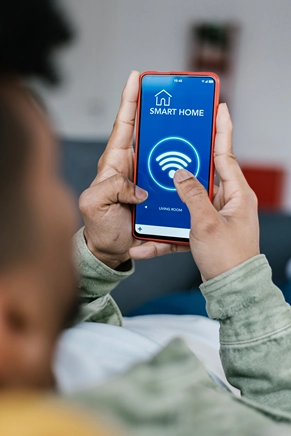
Wired connections provide reliable network access for computers, TVs, access points, cameras, and other devices that benefit from a dedicated Ethernet connection.
Strategically placed wireless access points can extend more consistent Wi-Fi coverage throughout the home and reduce weak-signal areas and dead zones.
New devices, home offices, remodels, and changing technology can place new demands on an existing network. We can evaluate the current setup and plan improvements around how the home is used today.
A dependable home network often combines wired and wireless connections rather than relying on a single solution. Technology Specialists provides residential network installation in Tucson, with network infrastructure planned around the layout of the home, the devices being connected, and the areas where reliable performance matters most.
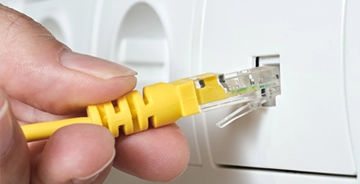
Ethernet provides a stable wired connection for devices that benefit from consistent network performance, including computers, smart TVs, streaming equipment, security cameras, gaming systems, and wireless access points.
We can plan and install home Ethernet wiring and structured wiring to create dedicated network connections where they are needed. Proper cable routing and placement also help keep the finished installation organized while providing infrastructure that can support future devices and upgrades.
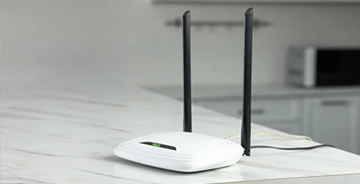
A single wireless router may not provide consistent coverage throughout a larger home or across rooms separated by walls, distance, or other obstacles. Properly placed wireless access points can improve coverage in the areas where Wi-Fi is actually needed.
We evaluate the layout of the home and existing network to determine where access points can provide more dependable connectivity. When possible, wired connections to the access points help create a more stable foundation for everyday Wi-Fi use.

Home networks often need to evolve as new technology is added. A new home office, additional streaming devices, security cameras, smart-home equipment, or a remodel can place demands on a network that was originally designed for fewer connected devices.
We can evaluate your existing setup and identify practical improvements, from adding Ethernet connections or wireless access points to reorganizing network equipment and expanding coverage into areas that currently have weak or unreliable connectivity.
A professionally planned home network can improve reliability, coverage, and everyday connectivity throughout the house. The right combination of Ethernet wiring and Wi-Fi access points can also reduce common problems caused by weak signals, overloaded wireless connections, or network equipment placed where it performs poorly.
Ethernet provides a stable connection for devices that benefit from consistent network performance. Computers, smart TVs, gaming systems, security cameras, and other equipment can use dedicated wired connections instead of relying entirely on Wi-Fi.
A single router may struggle to provide consistent coverage across every room. Properly placed wireless access points can help reduce dead zones and provide stronger Wi-Fi in the areas where you actually use connected devices.
Weak or inconsistent network connections can lead to buffering, interrupted video calls, and other frustrating performance problems. A well-planned home network provides a stronger foundation for streaming, remote work, online learning, and other bandwidth-dependent activities.
Modern homes may have dozens of devices sharing the same network, from phones and computers to TVs, cameras, speakers, and smart-home equipment. Good network planning helps distribute those connections more effectively and reduces unnecessary dependence on a single wireless device.
Professional network wiring can keep cables organized and place connections where they are actually needed. Thoughtful routing and termination help avoid loose Ethernet cables, temporary extensions, and equipment placed in inconvenient locations.
Your network needs may change as you add devices, renovate rooms, expand a home office, or install new technology. A well-planned network infrastructure makes it easier to add Ethernet connections, wireless access points, and other equipment without starting over.
You don’t need to know how many Ethernet connections, wireless access points, or other network components your home needs before getting started. We can evaluate your current setup, coverage, connected devices, and how you use your home to recommend a practical network solution.
A home network may work well when only a few devices are connected, but performance can change as your household adds more technology or starts relying more heavily on streaming, remote work, security systems, and smart-home devices. These are some common signs that your current network may need to be upgraded or expanded.
If certain rooms consistently have weak Wi-Fi, slow speeds, or dropped connections, the issue may be related to router placement, distance, building materials, or insufficient wireless coverage. Additional access points can help provide more consistent connectivity throughout the home.
Video calls, cloud applications, large file transfers, and other work-from-home tasks depend on a stable connection. Ethernet wiring or improved Wi-Fi coverage can provide a more dependable network for home offices and dedicated workspaces.
Frequent buffering, disconnected cameras, slow smart-home devices, or unreliable streaming can indicate that the network is struggling to support the number or location of connected devices. A better combination of wired and wireless connections can help reduce these problems.
A remodel, new home office, home theater, security system, or smart-home upgrade is a good opportunity to plan network wiring before walls are closed and equipment is installed. Adding Ethernet and access-point locations at the right stage can simplify future installations and reduce visible cabling.
A reliable home network depends on more than choosing a fast router or adding another wireless device. The layout of the home, cable routes, access-point placement, connected equipment, and future needs all affect how well the network performs. Technology Specialists approaches residential networking as a complete system rather than a collection of individual devices.

We start by evaluating your home, existing network, connected devices, and the areas where you need dependable wired or wireless coverage. From there, we can determine appropriate locations for Ethernet connections, wireless access points, and network equipment.
The installation is planned around the home itself, with the goal of providing reliable connectivity where it is needed while keeping the system practical and easy to use.
Network wiring works best when cable routes, connection points, and equipment locations are planned before installation begins. Properly installed Ethernet connections can provide stable connectivity without leaving loose cables or temporary wiring running through living spaces.
We take the layout and finished appearance of the home into account when installing network wiring, outlets, access points, and related equipment.
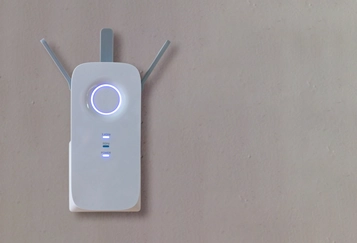

Every home has different connectivity requirements. A home office may benefit from dedicated Ethernet, while streaming devices, security cameras, smart-home systems, and mobile devices may require a combination of wired connections and dependable Wi-Fi coverage.
Instead of designing around a generic equipment package, we consider the devices and systems you actually use so the network can support your home today and remain easier to expand as your technology changes.
A home network installation can include planning the network layout, Ethernet and structured wiring, network outlets, wireless access points, equipment placement, configuration, and testing. The exact setup depends on the size of the home, existing infrastructure, connected devices, and where reliable wired or wireless connectivity is needed.
Yes. Ethernet wiring can often be added to existing homes, although installation options depend on the construction, attic or crawl-space access, wall locations, and where network connections are needed. An evaluation of the home helps determine the most practical cable routes and outlet locations.
Neither is universally better; most homes benefit from using both. Ethernet provides a dedicated wired connection that is useful for devices such as computers, TVs, gaming systems, cameras, and wireless access points. Wi-Fi provides the flexibility needed by phones, tablets, laptops, and other mobile devices.
There is no fixed number. The right number of wireless access points depends on factors such as the home's size and layout, wall construction, number of floors, equipment placement, and areas where dependable Wi-Fi coverage is needed. Proper placement is often more important than simply adding more access points.
Wireless access points can improve coverage in areas where a single router does not provide a strong or consistent signal. When access points are properly located and connected to the home network, they can provide more dependable Wi-Fi across larger or more complex residential spaces.
New construction and remodeling projects are ideal opportunities because network wiring can be planned before walls and ceilings are finished. However, structured wiring and Ethernet connections can also be added to many existing homes when practical cable routes are available.
From Ethernet wiring and Wi-Fi access points to complete residential network upgrades, we can help plan a network around your home, connected devices, and everyday connectivity needs.

Licensed & Bonded
ROC# 285238
ROC# 306779
HOURS
Monday - Friday
8 am - 5 pm
6615 N Oracle Rd
TUCSON, AZ 85704
(520) 784-2500
4418 E SPEEDWAY BLVD Ste. B
TUCSON, AZ 85712
(520) 784-2500
4351 N FAIRVIEW AVE Ste. B
TUCSON, AZ 85705
(520) 784-2500
SIERRA VISTA
999 E FRY BLVD SUITE 203
SIERRA VISTA, AZ 85635
(520) 784-2500